Case Study01School management & resource-optimization system
Selected Work
Case Study
Case 01
School management & resource-optimization system
RoleProduct Designer · End-to-end product owner
PlatformsWeb panel — admin & teachers · Mobile app — students
ScopeResearch · MVP · IA · Wireframing · User testing · Agile delivery · Design QA
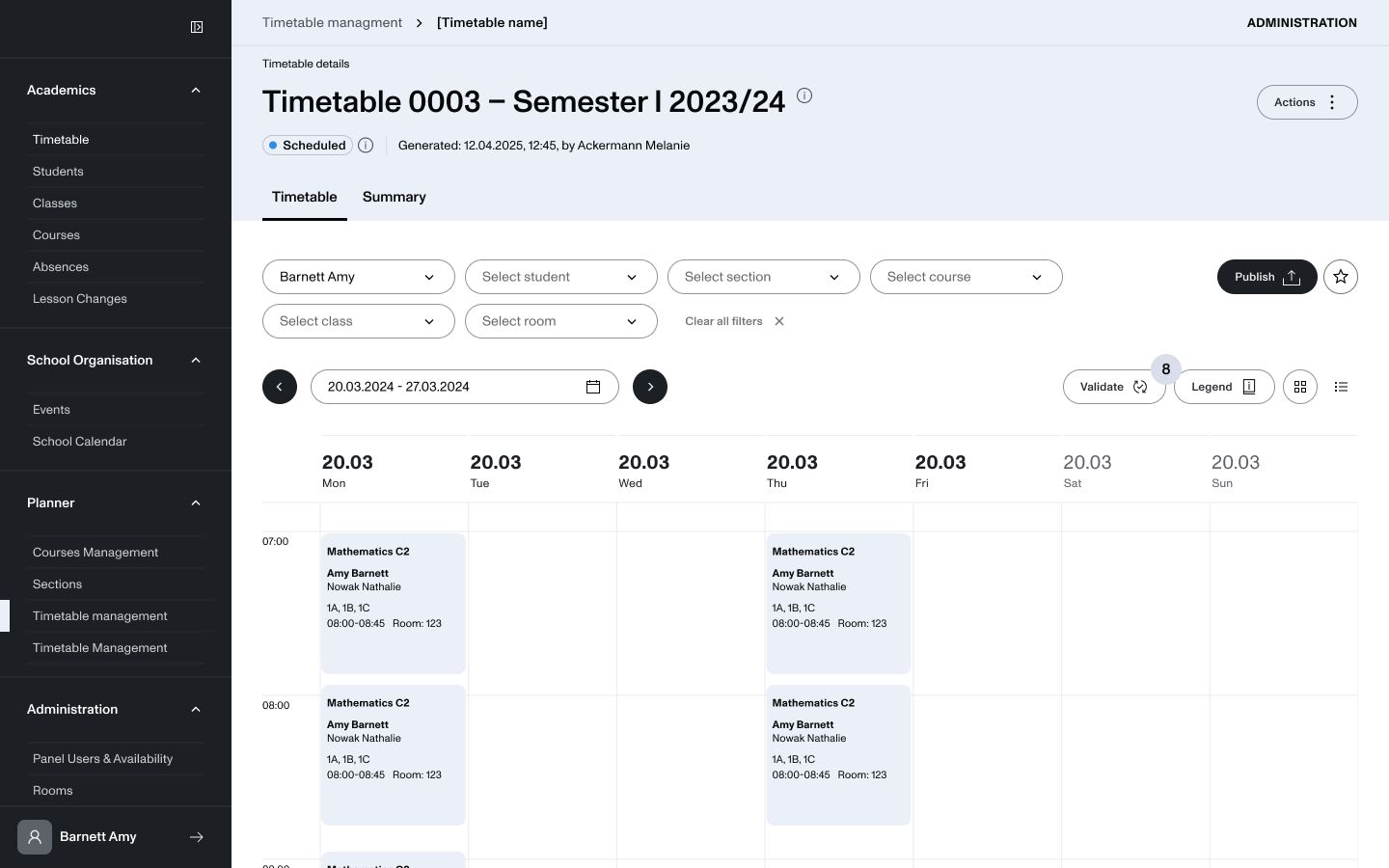
Modern schools lose time and money to underused classrooms and tangled teacher availability. I led design end-to-end on an all-in-one ecosystem built around one competitive edge — resource optimization: an automated timetable generator wrapped in a complete management platform spanning grading, attendance and staff planning.
Web panel — admin & teachers
Heavy logistics, made calm
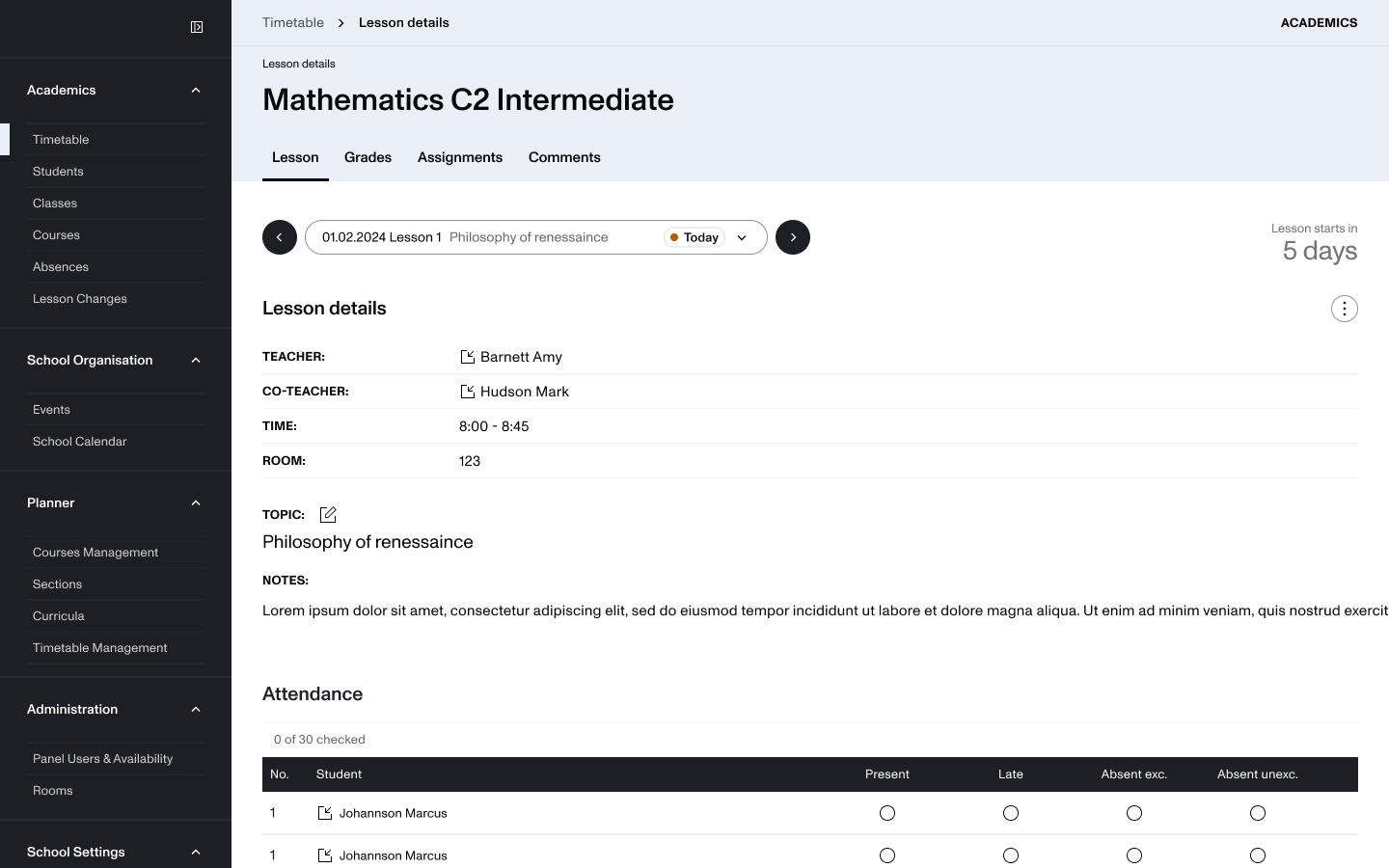
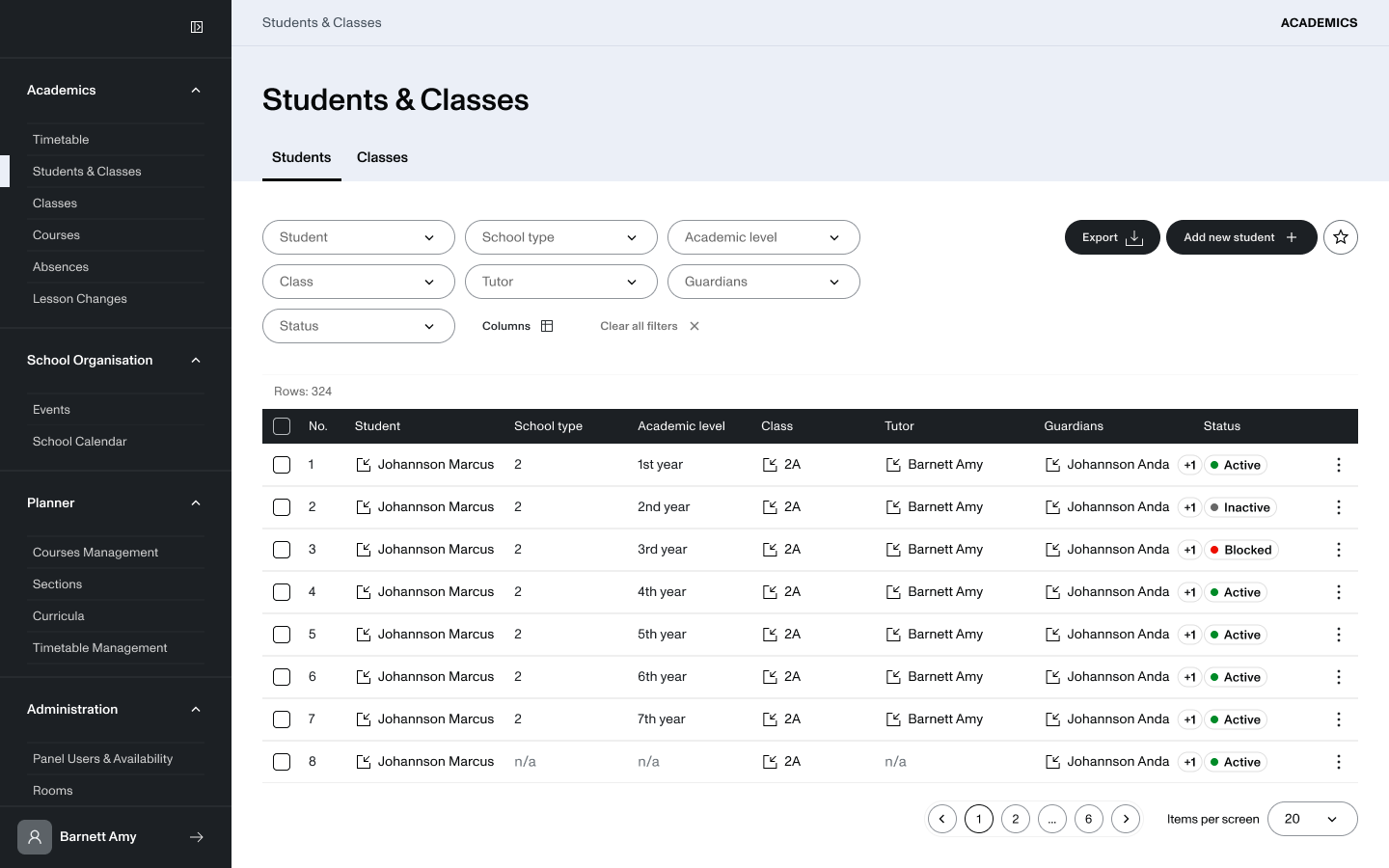
The desktop panel carries the operational weight: an automated timetable generator that schedules across rooms, staff, classes and student database. Dense data, organised into modules an administrator can move through without friction.
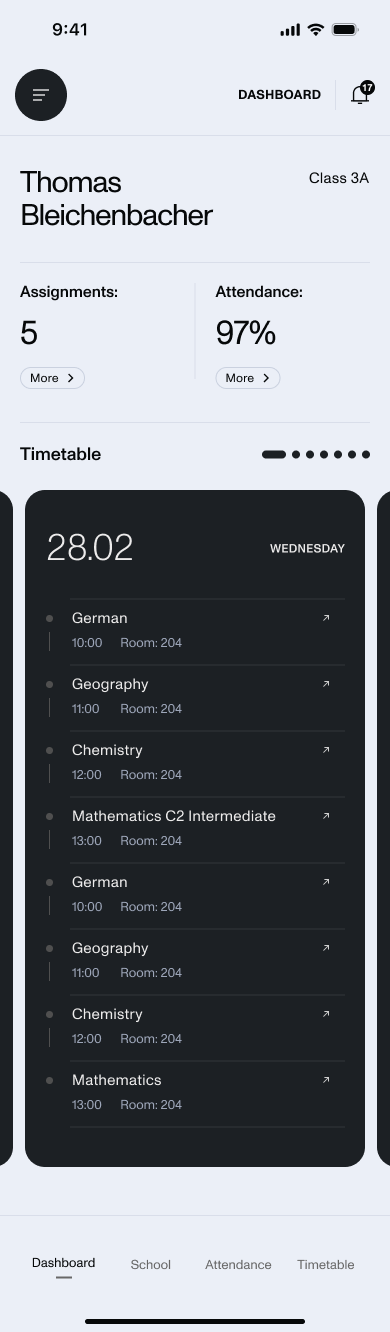
Students don't manage logistics — they check what's next.
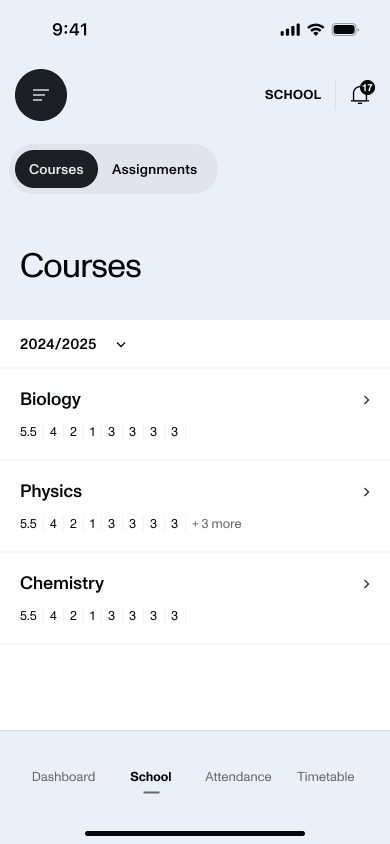
The companion app stays a frictionless touchpoint: today's timetable, rooms, grades and courses, one tap from open.
Dashboard — today's timetable
Courses & grades
Process — five phases
01
Discovery
Market research and competitor analysis across Edu-Tech surfaced the core issue — wasted classrooms and mismanaged teacher availability. We made resource optimization the product's competitive edge.
02
Define
Scoped the MVP and mapped journeys for three personas — administrators, teachers, students. Split the system into modules: the web panel carries heavy logistics; the app stays a frictionless student touchpoint.
03
Design
Worked structure-first: sitemap → lo-fi wireframes → hi-fi UI. Every step was reviewed and validated with the client, CEO and the cross-functional team — PdM, developers and QA.
04
Prototype & Test
Validated with real users through in-depth interviews, exploratory testing and A/B tests on the hardest layouts — the calendar grid and timetable generator. The most critical phase: testing in battle to resolve bottlenecks.
05
Deliver
Stayed embedded with engineering through an Agile/Scrum cycle — sprint planning, edge cases solved on the fly,
and strict Design QA to guarantee
the production front-end matched spec.
Case 02
Enterprise data integration — Strategy for Microsoft Office
RoleProduct Designer · Platform integration lead
ScopeIntegration logic · User interviews · Cross-company UX · Lo-fi wireframing · User testing
PartnershipStrategy — Workstation & Library ⇄ Microsoft Office — Excel · PowerPoint · Word
Workstationsource dataLibrarylive dashboards
Real-time syncBidirectional bridge
ExceldatasetsPowerPointlive slidesWordembeds
The problem
Two ecosystems, constant context-switching
Analysts built data in Workstation and rich dashboards in Library — then had to leave PowerPoint or Excel to use them. Presenting a pitch meant minimizing the deck to open a live dashboard. Clunky, disruptive, unprofessional.
Our value proposition
A real-time sync engine, not an exporter
A bidirectional data bridge: live Library dashboards dropped into PowerPoint, raw datasets pulled into Excel. Edit the source in Workstation, click once in the add-in, and every visual and table updates on the fly — no manual rework.
Process — constraint vs. craft, five phases
01Discovery
Identifying enterprise pain points
Challenge
Analysts moved between separate ecosystems all day — a live pitch meant minimizing the deck to open a dashboard elsewhere.
Key actions
Sourced straight from Strategy's enterprise clients, who were vocal about the gap. I framed the north star: connect two completely different software ecosystems into one cohesive, professional workflow.
02Define
Technical scope & product constraints
Constraint
Office's JavaScript APIs and add-in behaviours set hard limits on what was technically possible.
Key actions
With the PM and PO, I ran technical-alignment talks with Microsoft's engineering team to map those APIs — then defined a bidirectional bridge over a flat image exporter. The killer feature: real-time sync that updates visuals and tables from a single click.
03Design
Mapping integration logic & lo-fi validation
Constraint
You don't own the canvas — the add-in had to fit gracefully inside Microsoft Office's rigid design system.
Key actions
I focused on structure over high-fidelity UI: user flows and low-fidelity wireframes for how the side-panel would behave, search for content, and display object data.
Global alignment — USA & China
Lo-fi wireframes were presented to, iterated with, and signed off by high-level stakeholders across two continents — ensuring the UX met global enterprise compliance and engineering capability.
04Prototype & Test
Validating “in battle” with end-users
Constraint
The connector had to feel native — handling prompt filters and dashboard scaling inside PowerPoint slides.
Key actions
I built interactive Figma prototypes mimicking the exact behaviour of an Office side-panel connector, then returned to the clients who first requested the feature.
In-battle user testing
In-depth interviews, exploratory sessions and A/B tests on how users browsed Library catalogs from inside Excel and PowerPoint. Watching analysts use it live surfaced the real friction — and we iterated on it immediately.
05Deliver
Cross-company agile & Design QA
Constraint
The add-in lived inside third-party environments — Office on web, Mac and Windows — with SAML/SSO auth and data integrity to hold across all of them.
Key actions
I worked inside a cross-functional squad — PM, Dev, QA — synced with Microsoft's design and technical teams, running meticulous Design QA against our layout parameters on every platform.
Cross-company agile partnership
Regular joint cross-company calls to plan incremental iterations, map deployment phases and troubleshoot technical edge cases on the fly — validating the production front-end against spec.
Why this project is a milestone
01
Beyond web & mobile
Designing invisible, seamless product logic for complex enterprise workflows — not standard screen layouts.
02
Big-tech constraints
Navigating Microsoft's Office APIs and rigid add-in guidelines, and partnering directly with their teams.
03
Global stakeholders
Aligning expectations and compliance across the USA and China through every iteration.
Protected — Case Study
Please enter the password
You can find it in my CV.
Leadership Philosophy — 03
Leadership
Product Lead Designer · running a design department
I run a design department — not just a backlog.
I own the product's experience end-to-end and grow the people who craft it. Leadership, to me, is holding the line between real user needs and business strategy — while building designers who outgrow the brief.
01Vision & ownership
End-to-end ownership of the product's UX
I hold the product's experience from strategy to ship, partnering daily with the CEO and our major clients. That seat lets me translate real user needs into decisions the business can rally behind — and keep design at the table where direction is set, not just where it's executed.
DailyStrategic alignment
Direct C-level & client collaboration, with full ownership of the product UX — bridging user needs and commercial goals.
02Team & talent
Growing designers, not just shipping screens
I lead a team of UX/UI designers and treat their growth as the work itself — shaping the craft, the standards and the careers behind every release.
1:1People growth & mentorship
Development paths tailored to each designer's passions and aligned to the company's OKRs — so personal ambition and business goals pull in the same direction.
End-to-endTeam scaling
Owning the full recruitment process — sourcing, interviewing and hiring — to scale the design org with the right talent as we grow.
AI Power User — Pragmatic Innovator
AI
Advanced AI integration · enterprise & independent
AI is my unfair advantage — on the clock and after hours.
I don't stop at basic prompts. I architect AI deep into how products are designed, built and run — turning raw capability into shipped features and measurable business ROI.
01Enterprise & client work
Shipping AI inside enterprise software
In my day job I design and implement advanced AI solutions — smart AI agents, interactive chatbots, and automation that removes heavy, manual user tasks. The goal: eliminate friction in complex enterprise tools and give people their time back.
My obsession with AI runs well past client work. FLEO — the studio I co-founded — is the ultimate proof-of-concept: my partner (Analytics & BI) and I run a heavily AI-augmented workflow to co-design and co-build conversion-focused business websites from scratch.
7days · first version
15days · live site
2person studio
AI toolstack & leverage matrixAI as our team multiplier
Rapid structural ideationArchitecture & wireframes explored in hours — UX
Automated benchmarkingData-driven competitive analysis — BI
Code scaffolding & optimizationProduction-ready build, fast — Tech